Consulting & ICT Services

Transforming enterprises into optimised, digitised organisations

KEM Edusolutions is a black-owned management consulting and ICT services company. We help private and public enterprises modernise operations and create sustainable value through people, processes and technology.

Technology Services Business Consulting Education Solutions
The KEM Edusolutions head office building in South Africa displaying the company branding

SITA-registered OEM

Robotics and Virtual Reality Science Lab applications registered for public procurement.

About Us

Value creation is our mission

KEM Edusolutions is a black-owned management consulting and information and communications technology (ICT) services company. We facilitate the transformation of private and public enterprises into optimised, digitised organisations.

We create sustainable value for our clients by providing and managing integrated, strategic corporate services and client-appropriate business solutions that leverage people, processes and technology. Our greatest strength lies in our people — experts in their fields, committed to exceptional quality and to measurable results.

  • People at the heart

    A management team passionate about the growth and progression of South Africa, backed by specialists who own every outcome.

  • Process discipline

    Proven methodologies and structured governance that keep improvement and IT projects on track, on time and within budget.

  • Technology that fits

    We advise and integrate the technology that suits your size, your project type and your business objectives.

A KEM Edusolutions consultant presenting a transformation strategy to a client team

Our Commitment

Building a better future

We help businesses and communities move forward by supplying, implementing and maintaining the right business solutions — effectively and affordably.

2

Operating divisions

8

Solution areas

6

Core values

SITA

Registered OEM

Business Overview

Two divisions, one integrated partner

KEM Edusolutions operates through a Technology Services division and a Business Consulting division. Together they cover the full journey from strategy to a running, supported solution.

We provide, maintain and manage end-to-end enterprise applications and technology solutions that enhance operations, reduce total cost of ownership and support effective decision making.

ICT Infrastructure & Cloud Services

Supply, configuration, implementation and support of turnkey and modular enterprise technology — servers, storage, networks, data centres and security — so your data is stored, protected and available to the right people at any time.

Systems Integration

Technical services that connect, maintain and manage end-to-end enterprise applications, enhancing operations and giving leadership the information it needs to decide with confidence.

Business Solutions: BPM, CRM & BI

Customisation and integration of applications that raise workflow automation and unlock faster, deeper insight into performance across every business function.

E-LTSM

Learning and teaching support materials for the classroom and for learning at home — smart boards, laptops, tablet PCs, printers, projectors, robotic kits, charging trolleys and software applications.

Our centre of enterprise development supports business with innovative strategies and proven methodologies. Experienced field specialists and business analysts improve performance, streamline processes and create business efficiencies.

Enterprise Programme Management Office

A specialised competency that expedites and manages programme office requirements and governs improvement and IT projects across public and private organisations.

Business Process Outsourcing

Managed services that let you focus on growing the business while we map, manage and automate processes across human resources, finance and information technology.

Virtual Reality Education

Immersive, interactive and safe learning experiences. Our science simulation application lets students explore complex concepts such as human anatomy and physics in 3D.

Robotics

Hands-on robotics and block-based coding programmes from kindergarten to high school — building STEM skills, creativity and computational thinking across AI, IoT and machine learning.

Not sure which solution fits your organisation?

Tell us about your challenge and we will recommend the right approach.

Book a Consultation

STEM & Robotics

Robobloq programmable edutainment robots

Robobloq is KEM Edusolutions' partner in education. Based in Shenzhen, Robobloq is a high-tech pioneer in artificial intelligence study and STEM educational product development — dedicated to end-to-end solutions including STEM learning tools, teaching materials, robot competitions and international exchanges for educators worldwide.

Black African learners assembling Robobloq robotic kits during a STEM class in a South African classroom

One-stop STEM

Ideas worth making

A one-stop solution developer and integrator for STEM education — combining sturdy aluminium mechanisms, intelligent wireless electronic modules and easy-to-use drag-and-drop graphical programming.

Robobloq product concept

  • Mechanical

    A construction platform of 500+ anodized aluminium parts — beams, gears, shafts and motors — all under one standardized uniform design. Non-toxic, harmless, sturdy, re-usable and fully compatible with LEGO blocks.

  • Electronics

    More than 40 different electronic modules, with modularized electronics compatible with most mainstream coding languages including Arduino, JavaScript, C++ and Apple Swift.

  • Software

    Learn coding from kid-friendly drag-and-drop programming to advanced languages such as Python, JavaScript and Apple Swift — building the skills for a future with AI.

Perfectly compatible with LEGO

Bring vitality and vigour to your LEGO with smart, programmable robot blocks — the aluminium parts are fully compatible with LEGO blocks.

Robobloq + AI

A taste of future technologies — natural language processing and image recognition — embedded with services from Microsoft and Amazon.

Robobloq desktop app

An incredible space for imagination: the simplest graphical programming strings together robot control, AI and IoT, taking the robotic ecosystem to a new level.

Robotics & Coding in Schools

Turning curious learners into confident makers

Schools are increasingly integrating robotics and coding from kindergarten through high school to foster STEM skills, creativity and computational thinking. Our programmes use hands-on tools and block-based coding to make learning interactive and to prepare students for future technology careers.

Robobloq is a one-stop solution developer and integrator for STEM education. It combines sturdy aluminium mechanisms, intelligent wireless electronic modules and easy-to-use drag-and-drop graphical programming — so a first lesson can start in minutes and grow into prototypes of professional equipment.

Black African learners building and coding Robobloq robots during a school STEM lesson in South Africa

Kindergarten to Grade 12 ready

A single kit family that grows with your learners — from first builds to advanced Python, JavaScript and Apple Swift coding.

Coding & computational thinking

Begin with drag-and-drop blocks and progress to advanced languages such as Python, JavaScript and Apple Swift.

Engineering & mechanics

Assemble 500+ anodised aluminium parts — beams, gears, shafts and motors — under one standardised, reusable design.

Creativity & problem solving

Turn an idea into a working robot, test it, then improve it — the same design loop professional engineers use every day.

AI & IoT literacy

Explore natural language processing, image recognition and connected devices with embedded Microsoft and Amazon services.

Robot competitions

Take part in Robobloq competitions that stretch learners further and celebrate what they build.

International exchanges

Connect your educators and students with Robobloq's worldwide community and exchange programmes.

Teaching materials

Ready-made STEM learning tools and course materials keep every lesson structured and easy to run.

Setup & support

We supply, configure and maintain your robotics lab so teachers can focus on teaching, not troubleshooting.

Bring robotics to your school or organisation

Tell us your grades and class sizes and we will put together the right kit bundle.

Request a Robotics Quote

Products at a Glance

Robobloq robot kits

From line-following toy cars to robotic arms and prototypes of professional equipment — build, code and invent with Robobloq.

Robobloq Qoopers robot kit
6-in-1 Kit

Qoopers

A 6-in-1, transformable robot building and coding kit with a military-style metallic look, changeable battle forms and easy-to-use, Scratch 3.0 based graphical coding.

Robobloq Q-scout robot kit
Build & Code

Q-scout

A buildable Robobloq robot that introduces motors, sensors and block-based coding through a fun, drivable design.

Robobloq Q-elephant robot kit
Build & Code

Q-elephant

An animal-themed Robobloq robot that teaches mechanics and sequencing while learners bring a walking creation to life.

Robobloq Q-dino robot kit
Build & Code

Q-dino

A dinosaur-themed Robobloq robot kit that blends creative construction with drag-and-drop programming.

Robobloq Qobo robot kit
Screen-free Coding

Qobo

A friendly, screen-free coding companion for early learners — children sequence colour-coded cards to guide Qobo on the floor, building the foundations of computational thinking.

Robobloq Coding Express robot kit
Train Kit

Coding Express

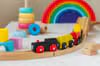
A programmable train that turns any play track into a coding adventure, compatible with popular wooden track brands such as Thomas & Friends, BRIO and IKEA.

Robobloq Feelin' Code robot kit
Invention Kit

Feelin' Code

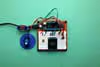
An invention board that turns bananas, foil, pencil lines and even a high-five into touchpads and keyboards — clip on a few wires and play.

Robobloq Sensors Series robot kit
Electronic Modules

Sensors Series

A variety of electronic modules — light, sound, motion, temperature, colour, gyroscope and MP3 — that clip into any Robobloq robot and help you explore the world in a fun way.

Robobloq Q-scout robot kit
First Robot

Q-scout

An entry-level robot building and coding kit with a 20-minute build time and a Scratch 3.0 based graphical coding environment. Featuring ultrasonic obstacle dodging and automatic line tracking, Q-scout is fun scientifically with expanding capabilities — the best option as a child's first robot.

  • Metal robot building platform — A real robot building experience with metal — cost-friendly and easy to use.
  • Classic sensor set — Ultrasonic and line-tracking sensors are scientifically fun and adequately programmable.
  • Arduino & graphical programming — Arduino plus a Scratch 3.0 environment covers entry-level and higher-class development.
  • Extensions — An ever-growing list of sensors and electronic modules completes the platform.
Robobloq Q-elephant robot kit
2-in-1 Kit

Q-elephant

With 267+ pieces of metal parts and electronic modules you can build a majestic elephant that seems to have travelled through time. The 8-legged structure adds to the fun of building and playing — and as one little surprise, it transforms into a unicorn form with flapping ears.

  • 2-in-1 kit — 267+ pieces let you build two robot forms — an elephant and a unicorn — each with identical movement styles.
  • Mechanical structure — Complex to build: the creatively designed mechanics give the robot interesting, lifelike movements.
  • Arduino & graphical programming — Arduino plus a Scratch 3.0 environment covers entry-level and higher-class development.
  • Extensions — Sensors and electronic modules extend what the robot can sense and do.
Robobloq Q-dino robot kit
2-in-1 Kit

Q-dino

One of the cutest robot dinosaurs, with wiggling arms and a biting jaw. An embedded DC motor driver brings extra fun to coding, and a crocodile iteration with a long tail gives two robots in one kit — enjoy building.

  • 2-in-1 kit — Apart from its T-Rex form, Q-dino can also become a crocodile with a long tail.
  • Mechanical structure — The arms are attached to its wheels and wiggle as the robot moves — a small creation that inspires young engineers.
  • Arduino & graphical programming — Arduino plus a Scratch 3.0 environment covers entry-level and higher-class development.
  • Extensions — Sensors and electronic modules expand what the dinosaur can sense and do.
Robobloq Qobo robot kit
Screen-free Coding

Qobo

Qobo is the friendly robot companion that introduces the youngest learners to coding without a screen. Children lay out colour-coded command cards and watch Qobo carry out the sequence on the floor, so early coding feels like play.

  • Screen-free coding — Sequence physical coding cards to programme Qobo — perfect for pre-readers and early classrooms.
  • Playful and safe — A bright, durable, child-friendly build that stands up to daily classroom and playroom use.
  • Step into stories — Ready-made activity maps turn coding into storytelling, music and problem-solving games.
  • Grows with learners — Move on to graphical block coding in the Robobloq app once learners are ready for a screen.
Robobloq Coding Express robot kit
Train Kit

Coding Express

Coding Express turns a familiar train set into a first programming experience. Load it with action cards to set off, stop, light up, play music or change direction — then extend the track with bricks your learners already own.

  • Wide track compatibility — Works with tracks from brands such as Thomas & Friends, BRIO and IKEA, for limitless possible layouts.
  • Action-card coding — Slot an activity card into the train to programme what it does next — coding without a screen.
  • Builds creative play — Endless track combinations encourage DIY thinking and hours of engaged, hands-on play.
  • Ready for the app — Extend activities with the Robobloq app and additional modules as learners progress.
Robobloq Feelin' Code robot kit
Coding Cards

Feelin' Code

Feelin' Code takes visual programming to the next level. We believe everyone can code — even preschool children — and here coding can be as easy as arranging cards on the table.

  • Visual programming — Arrange coding cards in sequence to program robots and devices without typing a single line.
  • Built for the youngest — Colour and picture cards make the very first steps in coding clear, playful and screen-free.
  • Hands-on learning — Tactile cards keep learners engaged while they learn sequencing, logic and cause and effect.
  • Starter to advanced — Grow from simple card sequences into full graphical and text-based coding in the Robobloq app.

Specifications

Compare the Robobloq kits

Technical detail for Qoopers, Q-scout, Q-elephant and Q-dino — handy when you are planning a classroom set or preparing a procurement request.

Specification Qoopers Q-scout Q-elephant Q-dino
Types of parts 47 24 41 54
Total parts quantity 174 65 267+ 231
Colour of parts Green & grey Green & grey Green & grey Green & grey
Motor 520 encoder motor (metal gears) Hobby motor (blue) 180 metal gear motor 180 metal gear motor
Microcontroller Qmind Plus (Arduino Mega 2560) Qmind (Arduino Uno) Qmind (Arduino 328P), 4 ports Qmind (Arduino 328P), 4 ports
Communication Bluetooth Bluetooth Bluetooth 4.0 Bluetooth 4.0
Ports 6 for sensors, 2 for motors 3 for sensors, 1 for motor 4 ports 3 for sensors, 1 for motor
Inputs 1× Button, 1× Ultrasonic sensor (6 RGB LEDs) 1× Button, 1× Ultrasonic sensor (6 RGB LEDs), 1× Line-tracking sensor 1× Button 1× Button, 1× Ultrasonic sensor
Outputs 1× Buzzer, 2× RGB LED, 1× LED matrix 14×10 1× Buzzer, 2× RGB LED 1× Buzzer, 2× RGB LED 1× Buzzer, 2× RGB LED
Battery 6 × AA batteries 6 × AA batteries 6 × AA batteries 6 × AA batteries
Software Robobloq app (Mac, Windows, Linux, iOS, Android) Robobloq app (Mac, Windows, Linux, iOS, Android) Robobloq app (Mac, Windows, Linux, iOS, Android) Robobloq app (Mac, Windows, Linux, iOS, Android)
Assembled size 214 × 248 × 166 mm 189 × 115 × 152 mm 250 × 170 × 165 mm 210 × 170 × 335 mm
Package weight 1 920 g 1 100 g 960 g 1 100 g

Robobloq apps run on Mac, Windows, Linux, iOS and Android. Bulk classroom orders ship by carton — contact us for quantities, lead times and education pricing.

Signature Kit

Qoopers — 6-in-1 programmable building robot kit

Qoopers can transform into 6 robots with different forms — the Captain, the Scorpion, the Voyager, the Guardian, the Dozer and the Cavalier — which brings lots of fun to the play. Building Qoopers is easy and friendly for both children and adults; players can complete the build within an hour using the 3D instruction manual.

Qoopers can be programmed on many devices, including phones, tablets and computers. From basic visual programming in Scratch to the high-level languages of Arduino and Python, Qoopers is the perfect study companion for children.

Captain Scorpion Voyager Guardian Dozer Cavalier
Qoopers 6-in-1 programmable building robot kit

What Qoopers Can Do

Build, code, play

Qoopers — Remote control by app

Remote control by app

Control Qoopers from the Robobloq app, sending it diverse, self-written instructions to execute — turn left or move forward. Full tutorial videos are on the Robobloq YouTube channel.

Qoopers — Obstacle avoidance

Obstacle avoidance

Equipped with an intelligent ultrasonic sensor, Qoopers detects and avoids any objects in front of it. Qoopers is smart and strong — just enjoy the play.

Qoopers — Music mode

Music mode

Let Qoopers sing a song for you — play the basic musical notes in the app or choose a song from the music library, then match it with its other functions.

Qoopers — Expressive LED matrix

Expressive LED matrix

With its LED matrix, Qoopers is a sentimental robot that can show many rich facial expressions. Happy, angry or sad — draw the emojis you like through the app.

Qoopers — Durable aluminium alloy

Durable aluminium alloy

Differing from general plastic robot kits, Qoopers is made of high-quality, durable aluminium alloy — which allows it to take on any difficult obstacle avoidance.

Qoopers — Colourful light effects

Colourful light effects

Qoopers can perform abundant colourful light effects, and players can customise and code its light colour, flash frequency, duration and much more.

Qoopers — LEGO-compatible building

LEGO-compatible building

Qoopers is compatible with all major mechanical building block sets on the market, such as LEGO. Children can design and decorate their own Qoopers with their imagination.

Qoopers — Endless extensions

Endless extensions

Do you want to form a robotic band? Many more electronic accessories and firmwares with different functions await you to create even more innovative robots.

Exploded view of the components that make up Qoopers

Under the Shell

A powerful, expandable platform

Qmind Plus is customised around the Arduino Mega 2560, with up to 8 extension ports and an embedded LED matrix, Bluetooth transmitter and a programmable buzzer. Arduino combines with a Scratch 3.0 based graphical environment to cover entry-level and advanced development, with superior hardware compatibility.

Built from high-quality aluminium alloy and fully compatible with popular building block sets, Qoopers is an ever-growing platform — sensors and electronic modules keep extending what it can sense and do.

Request a Qoopers Quotation

Compare

Qoopers against the other kits

See how the 6-in-1 Qoopers stacks up against Q-dino and Q-scout — handy when you are planning a classroom set or preparing a procurement request.

Feature
Q-dino 2-in-1 robot kit
Q-dino 2-in-1
Qoopers 6-in-1 robot kit
Qoopers 6-in-1
Q-scout Coding robot kit
Q-scout Coding
Forms 2 6 1
Age 8+ 8+ 6+
Ultrasonic
App control
Smart avoidance
Light
Music
LED display
Line tracking
Number of parts 209 223 62

Ready to bring Qoopers to your classroom?

Tell us your grades and class sizes and we will put together the right Qoopers bundle with education pricing.

Already own Qoopers? Visit the support centre
Request a Qoopers Quote

Entry-Level Kit

Q-scout — buildable STEM robot and coding kit

Q-scout is Robobloq's entry-level robot building and coding kit. A quick build, a sturdy aluminium-alloy body and a Scratch 3.0 based coding environment make it the friendliest way to meet a first programmable robot — indoors and outdoors.

Drive it from the Robobloq app, teach it to follow a line you draw yourself, then grow your skills from drag-and-drop blocks all the way into Arduino and Python. Q-scout is built to be a child's first robot — and to keep growing with them.

6+ years 1 build form 62 parts Arduino & Scratch Indoor & outdoor
Robobloq Q-scout STEM robot kit shown with its electronic modules

What Q-scout Can Do

Build, drive, code

Q-scout — Outdoor control

Outdoor control

Equipped with a powerful motor, shiny aluminium alloy coats and stable rubber tyres, Q-scout is able to run indoors and outdoors through the app remote control.

Q-scout — Line tracking

Line tracking

Players can customise Q-scout's running path by using black tape or drawing black lines, so design your routes with imagination and let Q-scout catch up.

Q-scout — Light show

Light show

Q-scout can perform abundant light effects. Red or blue, short or long — users can code them in whichever way they like.

Q-scout — Music mode

Music mode

Learn the basic musical notes in the app or choose a song from Q-scout's music library. Get the party started with Q-scout.

Q-scout — Obstacle avoidance

Obstacle avoidance

Q-scout is an intelligent robot that can detect and avoid any objects in front of it, so set your Q-scout free — it won't get hurt and won't hurt any furniture.

Q-scout — Awesome DIY kit

Awesome DIY kit

Q-scout is designed to build children's confidence through hands-on learning. Just immerse yourselves in the joyful moment of assembling.

Q-scout — Strong compatibility

Strong compatibility

Q-scout is compatible with all major mechanical building block sets on the market, such as LEGO. Children can design and decorate their own robot.

Q-scout — Expansion package

Expansion package

Matched with Robobloq's expansion packages, Q-scout can transform into over 10 robots with different structures.

Robobloq Q-scout robot kit with its main components and controller

Under the Shell

A friendly first robot platform

Qmind is customised around the Arduino Uno, with ports for sensors and a motor, an embedded buzzer, RGB LEDs and Bluetooth connectivity. Arduino combines with a Scratch 3.0 based graphical environment to cover entry-level and more advanced development, with superb hardware compatibility.

Q-scout is compatible with all major mechanical building block sets on the market, such as LEGO, so children can design and decorate their own robot. Matched with Robobloq's expansion packages, Q-scout can transform into more than 10 different robot structures — an ever-growing platform that keeps extending what it can sense and do.

Request a Q-scout Quotation
Q-scout robot following a coded line on the floor
Q-scout robot built and ready to be driven from the app
Q-scout robot kit parts and electronic modules laid out
Robobloq Q-scout robot kits assembled for a STEM classroom

Compare

Q-scout against the other kits

See how the entry-level Q-scout stacks up against Q-dino and Qoopers — handy when you are planning a classroom set or preparing a procurement request.

Feature
Q-dino 2-in-1 robot kit
Q-dino 2-in-1
Qoopers 6-in-1 robot kit
Qoopers 6-in-1
Q-scout Coding robot kit
Q-scout Coding
Forms 2 6 1
Age 8+ 8+ 6+
Ultrasonic
App control
Smart avoidance
Light
Music
LED display
Line tracking
Number of parts 209 223 62

The building elements are made of quality anodised aluminium. The main building parts — mainboard case, wheels and battery case — are made of high-durability plastic. Robobloq Q-series robots have been delivered to more than 50 countries and more than 200 000 users worldwide.

Ready to bring Q-scout to your classroom?

Tell us your grades and class sizes and we will put together the right Q-scout bundle with education pricing.

Already own Q-scout? Visit the support centre
Request a Q-scout Quote

2-in-1 Kit

Q-Elephant — 2-in-1 programmable robotic kit

With 260+ pieces of metal parts and electronic modules you can build a majestic elephant that seems to have travelled through time. The 8-legged structure adds to the fun of building and playing — and as one little surprise, it transforms into a unicorn form with flapping wings.

Q-Elephant is a cutely designed, programmable robot kit shielded in metal and vivid in movement. A creative mechanical transmission structure makes it extra fun to build, with transformation ability — your best companion to explore a scientific world.

2 build forms 267+ parts 8-legged walker Arduino & Scratch Unicorn transformation
Robobloq Q-Elephant 2-in-1 robot kit shown in its elephant and unicorn forms

Ancient Creatures You Can Build

Two robotic creatures, one kit

The ancient creatures evolved! Robobloq Q-Elephant and Q-Dino are cute-looking, programmable robot kits. They are shielded in metal and vivid in movement, and a creative mechanical transmission structure makes them extra fun to build — with transformation ability they become your best companion to explore a scientific world.

Q-Elephant — Mechanical structure

Mechanical structure

The power of the motors is double-used by the transmission mechanism, creating vivid movements and bringing these robotic creatures to life.

Q-Elephant — Drag & drop coding

Drag & drop coding

Based on Scratch 3.0 you can create your own Robobloq application easily. The graphical environment helps you focus on problem solving and grasp the basics of coding.

Q-Elephant — Learn future skills

Learn future skills

Q-Elephant and Q-Dino are STEM robots that combine mechanics, electronics and coding — fields you can access just by playing robots at home, a doorway to the knowledge needed in a future of robotics and AI.

Under the Shell

Eight legs, two forms, endless play

Q-Elephant is built from anodised aluminium parts and intelligent electronic modules, with an 8-legged walking structure that makes every step lifelike. The aluminium elements are fully compatible with popular mechanical building block sets, so learners can decorate and redesign their creature.

From drag-and-drop blocks in the Scratch 3.0 environment all the way to Arduino and Python, Q-Elephant grows with its builder. Matched with Robobloq's expansion modules, it keeps discovering new things to sense and do.

Request a Q-Elephant Quotation
Q-Elephant robot kit shown with its mechanical and electronic components

Specifications

Q-Elephant at a glance

Technical detail for the Q-Elephant 2-in-1 kit — handy when you are planning a classroom set or preparing a procurement request.

Forms
2 — elephant and unicorn
Types of parts
41
Total parts quantity
267+
Colour of parts
Green & grey
Motor
180 metal gear motor
Microcontroller
Qmind (Arduino 328P), 4 ports
Communication
Bluetooth 4.0
Ports
4 ports
Inputs
1× Button
Outputs
1× Buzzer, 2× RGB LED
Battery
6 × AA batteries
Software
Robobloq app (Mac, Windows, Linux, iOS, Android)
Assembled size
250 × 170 × 165 mm
Package weight
960 g

Robobloq apps run on Mac, Windows, Linux, iOS and Android. Bulk classroom orders ship by carton — contact us for quantities, lead times and education pricing.

Ready to bring Q-Elephant to your classroom?

Tell us your grades and class sizes and we will put together the right Q-Elephant bundle with education pricing.

Already own Q-Elephant? Visit the support centre
Request a Q-Elephant Quote

2-in-1 Kit

Q-Dino — 2-in-1 programmable robot kit

Q-Dino is one of the cutest robot dinosaurs, with wiggling arms and a biting jaw. An embedded DC motor driver brings extra fun to coding, and a crocodile iteration with a long tail gives you two robots in one kit — enjoy building.

From kid-friendly drag-and-drop blocks to high level languages such as Arduino, Q-Dino grows with its builder. It runs on a Scratch 3.0 based graphical environment, so learners start creating on the very first day.

2 build forms 209 parts T-Rex & crocodile Arduino & Scratch 8+ years
Robobloq Q-Dino 2-in-1 robot kit shown in its T-Rex and crocodile forms

Coding with Q-Dino

From blocks to Arduino

Three levels of programming take learners from Primary to High level — starting with Robobloq's MyQode graphical environment and progressing to the Arduino language.

Q-Dino — Robobloq's MyQode
Scratch graphical programming

Robobloq's MyQode

Design more interesting games and let all your painted animation characters come alive.

Q-Dino — Drag and drop coding
Programming starter kit

Drag and drop coding

Learning programming has never been this fun before — arrange blocks to give Q-Dino its instructions.

Q-Dino — Switch to the Arduino
High level programming languages

Switch to the Arduino

Q-Dino can perform actively and execute the different instructions set by users.

What Q-Dino Can Do

Build, drive, code

Q-Dino — App control

App control

Equipped with a powerful motor and shiny aluminium alloy coats, Q-Dino can be controlled remotely through the app and your computer.

Q-Dino — Smart avoidance

Smart avoidance

Q-Dino is an intelligent robot that can detect and avoid any objects in front of it, so set it free — it won't get hurt and won't hurt any furniture.

Q-Dino — Light show

Light show

Q-Dino's eyes can perform abundant light effects. Red or blue, short or long — create a fascinating light show through coding.

Q-Dino — Music playing

Music playing

Under the Music mode, Q-Dino is a talented robotic dinosaur that can sing a song for you. Users can also play a tune through the app.

Under the Shell

A small creation that inspires young engineers

The arms are attached to its wheels and wiggle as the robot moves. A 180 metal gear motor and the Qmind controller (Arduino 328P, 4 ports) give Q-Dino the power and control it needs, with Bluetooth 4.0 connectivity for app and computer control.

Built from anodised aluminium parts that are fully compatible with popular mechanical building block sets, Q-Dino can be decorated and redesigned. Matched with Robobloq's sensors and electronic modules, it keeps discovering new things to sense and do.

Request a Q-Dino Quotation
Q-Dino robot kit with its mechanical and electronic components
Q-Dino robot kit parts and electronic modules laid out
Q-Dino robot driven remotely through the Robobloq app
Q-Dino robot showing colourful light effects from its eyes

Compare

Q-Dino against the other kits

See how the 2-in-1 Q-Dino stacks up against Qoopers and Q-scout — handy when you are planning a classroom set or preparing a procurement request.

Feature
Q-dino 2-in-1 robot kit
Q-dino 2-in-1
Qoopers 6-in-1 robot kit
Qoopers 6-in-1
Q-scout Coding robot kit
Q-scout Coding
Forms 2 6 1
Age 8+ 8+ 6+
Ultrasonic
App control
Smart avoidance
Light
Music
LED display
Line tracking
Number of parts 209 223 62

The building elements are made of quality anodised aluminium. Robobloq Q-series robots have been delivered to more than 50 countries and more than 200 000 users worldwide.

Ready to bring Q-Dino to your classroom?

Tell us your grades and class sizes and we will put together the right Q-Dino bundle with education pricing.

Already own Q-Dino? Visit the support centre
Request a Q-Dino Quote

Screen-free Coding

Qobo — interactive screen-free coding robot

Qobo is an interactive, talented robot that can sing, dance, read, move and glow with different lights while executing a variety of coding instructions. Children help Qobo find the gem by placing programming cards into a pathway — no screen required.

Designed to spark the interest of learning, Qobo highlights interaction and hands-on ability during play, allowing children to be proactive in solving problems and thinking independently. All children will love this adorable robotic snail!

Screen-free coding 30 programming cards 15 training lessons Touchable programming Ages 3+
Robobloq Qobo interactive screen-free coding robot snail

Hands-On Coding

Teach coding without a screen

Children can help Qobo to find the gem by creating different paths using the 30 programming cards included in the kit. Each card is a command — free mode, game mode, destinations, forward and turn movements, plus songs, lights and sounds.

Colourful pictures and simple icons make the very first steps in computational thinking clear, playful and screen-free, building sequencing, logic and cause-and-effect skills from the very start.

The 30 programming cards that teach Qobo to sing, dance and find the gem
Qobo game map used with Free Mode and the training lesson booklet

Game Map

Ready-made lessons and challenges

You also get a booklet with 15 training lessons and challenges, as well as a map to guide Qobo while using Free Mode. The map turns each coding session into a story — set a route, place the cards and watch Qobo carry out the plan on the floor.

Because the lessons are ready to run, a first activity can start in minutes, and every challenge adds a new idea while keeping the play tactile, social and screen-free.

Sing and dance

Qobo can sing, dance and move, turning every card sequence into an animated performance children want to repeat.

Glow with lights

Different coloured lights reflect what Qobo is doing, so children see the result of their instructions instantly.

Touchable programming

Place a programming card and Qobo responds — coding becomes a physical, hands-on activity rather than an on-screen one.

Problem solving

Building a path to the gem encourages children to plan, test and think independently as they solve each challenge.

Future Explorer Starter Kit

Endless fun with touchable programming

Qobo is a complete starter kit that turns first coding steps into play. Everything the activity needs is in the box — the robot, the programming cards, the game map and the lesson booklet — so an educator or parent can begin immediately.

Robobloq Qobo starter kit with programming cards and game map
Watch Qobo in action in Robobloq's official demonstration video

See Qobo in Action

Watch the demonstration

Watch Qobo sing, dance, read, move and glow as it follows the card sequence — the quickest way to understand how screen-free coding works in a real classroom or playroom.

Ready to bring Qobo to your classroom?

Tell us your learner ages and class sizes and we will put together the right Qobo bundle with education pricing.

Already own Qobo? Visit the support centre
Request a Qobo Quote

Train Kit

Coding Express — smart programmable train for early coding

Coding Express turns a familiar train set into a first programming experience. Load it with action cards to set off, stop, light up, play music or change direction — then extend the track with the bricks your learners already own.

Colour-coded inductive stickers placed along the rails tell the train what to do next, so a first step into robotics and coding feels like play — no screen, no typing, and endless track layouts to build.

Color-driven coding 19 inductive stickers Whistle control Wide track compatibility FSC-certified beech wood
Robobloq Coding Express smart programmable train travelling on a wooden track

Color-driven Smart Engine

Learn robotics and coding without a screen

The 19 color-coded inductive stickers bring an educational and interesting play for children to learn the primary knowledge about robotics and coding, and also inspire their creativity and imagination through various entertaining effects without any screen-controls.

Place a sticker on the track and the smart engine responds — set off, turn, slow down, speed up, light up or play a sound. Because the commands are physical, even the youngest learners can plan a sequence, test it and improve it.

Robobloq Coding Express train engine with its colour-coded inductive stickers

What Coding Express Can Do

Drive, listen, avoid, invent

Coding Express — Direction Control

Direction Control

Paste the stickers on the track to tell Coding Express where to go.

Coding Express — Sound Control

Sound Control

Coding Express can perform many sound effects by using different stickers.

Coding Express — Other Entertaining Effects

Other Entertaining Effects

Many other entertaining effects are waiting for you to discover.

Coding Express — Intelligent Avoidance

Intelligent Avoidance

The intelligent built-in infrared sensor of Coding Express can sense any objects in front of it and avoid or follow them.

Coding Express — Whistle Control

Whistle Control

Coding Express integrates with a smart sound sensor — blow a whistle to accelerate it. Get ready to start your train.

Coding Express — DIY Freely

DIY Freely

Use blocks and your imagination to design your train journey and DIY your smart engine.

Coding Express train running on a wooden track built with other popular brand sets

Wide Compatibility

Build any track layout you can imagine

Coding Express is compatible with many other train tracks from brands like Thomas & Friends, BRIO and IKEA. The limitless track layouts could not only promote children's DIY abilities but also bring them endless fun while playing.

Safe Play & Environmental Friendly

Built to be safe, durable and kind to the planet

Coding Express — Environmental Friendly

Environmental Friendly

The material of train tracks is made of FSC certified Beech wood, which is long-lasting, high quality and environmental-friendly, without any paint and surface coatings.

Coding Express — Safe Play

Safe Play

It is a screen-free, eye-caring, durable and safe toy that can accompany children to grow up, leading them to the amazing coding world.

Coding Express — High Quality

High Quality

The product is ensured through all safety certifications and conforms to all quality standards, including CE, FCC, EN71 and RoHS certifications.

Black African children sparking their creativity and imagination with the Coding Express train in a South African classroom

Spark Creativity

Spark your children's creativity and imagination with Coding Express!

Creates an immersive learning environment for children to improve their concentration, DIY ability, logical thinking and social skills in the process of scenario-based playing.

Ready to bring Coding Express to your classroom?

Tell us your learner ages and class sizes and we will put together the right Coding Express bundle with education pricing.

Already own Coding Express? Visit the support centre
Request a Coding Express Quote

Invention Kit

Feelin’ Code — invention kit for everyone

FEELIN CODE KIT is an invention board that turns any conductive object into touchpads and keyboards just by connecting a few alligator clips. It is a starting point for learning to use electronics — and to use everyone’s imagination.

The kit tricks your computer into thinking that almost anything is a keyboard, so you can hook up all kinds of fun things as an input. For example: play the piano with fruit!

Plug & Play USB powered 7 alligator clips No programming needed Windows · Mac · Linux · iOS · Android
Feelin' Code invention board connected to bananas, oranges and a headband to play a keyboard on a laptop

Play Piano with Fruit

Almost anything can be a keyboard

Alligator clips connecting fruit to the Feelin' Code invention board
A Black African learner playing music by touching conductive objects wired to the Feelin' Code kit

How Feelin’ Code Works

Plug it in — no software required

The kit works via USB, so no additional software is required. It runs on Windows, Mac OSX and Linux, and even on iOS and Android smart devices — and programming knowledge is not necessary to use it.

The Robobloq team develops many Plug-and-Play applications, so learners can experience the magic of the kit without any programming knowledge and enjoy the fun of creating their own keyboards.

Feelin' Code board connected by alligator clips to conductive objects and a computer
Feelin' Code — Code and Play

Code and Play

The kit can be easily programmed in different coding platforms, so key-mapping can be customised to fit any project.

Feelin' Code — Plug and Play

Plug and Play

Try out Robobloq's fun plug-and-play applications with your Feelin' Code board — no programming knowledge needed.

Feelin' Code — Create and Play

Create and Play

Together with other materials and DIY ecosystems, learners can build their own projects — one of the best gadgets to start being creative and imaginative.

Feelin' Code invention kit components laid out ready to be connected

A Learning Tool for Everyone

Hands-on, minds-on STEM

The kit is a useful, hands-on, minds-on learning technology tool for learners of all ages to assist with science learning, regardless of their academic strengths or weaknesses. It enables people to make nature-based interfaces, is compatible with all software, and does not require the user to program or to assemble electronics.

It is designed for a wide range of audiences, supporting ideation for experts and access for beginners. Through shared collaboration, family learning environments can build interest, knowledge and skills in design thinking and technological literacy — activating learning and helping learners develop their science, technology, engineering and mathematics fluency by applying STEM skills in the real world.

Black African learners collaborating on a Feelin' Code invention project in a South African classroom
A Feelin' Code project using everyday objects as touch inputs

What Conducts?

Experiment with almost anything

Fruit & vegetables

Most fruit and vegetables conduct an electrical current, as do many other foods — try marshmallows, gummy candies, macaroni and cheese, cupcakes or shrimp.

People

People are conductive. Connect one person to a ground and another to an input, and a sound can be triggered when they touch hands — a high-five becomes an input.

Graphite & foil

Graphite from a pencil conducts: draw thick, dark lines on a smooth surface. Foil and other metal objects work well — coins, magnets, nuts and bolts, forks and pans.

Plants & flowers

Experiment with plant leaves and flowers — nothing too dry. Nature-based interfaces are one of the kit's most engaging classroom activities.

Everyday items

Test inflatable beach balls, paper plates, cardboard boxes, foam, LEGO bricks, storage boxes, stuffed animals, hats, fabric, string, yarn, elastic and paper.

Complete a circuit

The kit is designed for quick connections between a computer and a variety of objects — experiment with different configurations to build a complete circuit.

In the Box

Everything needed to start inventing

The FEELIN CODE KIT is designed for quick connections between a computer and a variety of objects. The kit includes the Feelin’ Code board, a USB cable, seven alligator clips, six connector wires and an instruction sheet.

Add optional accessories — a conductive belt, conductive tape and a cable convertor — to take projects further, then pair the board with other Robobloq kits and DIY materials for open-ended invention.

Feelin' Code kit contents — board, USB cable, alligator clips and connector wires
Feelin' Code Alligator Clips

Alligator Clips

Clip the board to any conductive object to turn it into an input.

Feelin' Code Conductive Belt

Conductive Belt

A wearable conductive strap for hands-free, body-based interfaces.

Feelin' Code Conductive Tape

Conductive Tape

Lay conductive tracks on paper, walls or prototypes to build touchpads.

Feelin' Code Cable Convertor

Cable Convertor

Adapts the connection so the board works with your computer or device.

Open-Ended Invention

Banana pianos, paper controllers and more

The invention kit lets learners turn most anything into a device that connects to a computer and interacts with software — banana pianos, game controllers drawn on paper, drums that sound when two people touch fingers, and much more.

Feelin' Code kit turning everyday objects into inputs for a computer

Who hasn’t wanted a piano with bananas for keys?

Tell us your learner ages and class sizes and we will put together the right Feelin’ Code bundle with education pricing.

Request a Feelin’ Code Quote

Sensors Series

Decoding the nature

A variety of electronic modules to help you explore the world in a fun way. Our careful selection of electronic modules helps you understand the world in a scientific way — Robobloq sensors fit any robot kit and are programmed with the Robobloq app on PC or smartphone.

10+ electronic modules Fits any robot kit Scratch 3.0 ready Arduino compatible
Robobloq Sensors Series electronic modules for light, sound, temperature, colour and motion

The Modules

Explore, sense and react

Each module is a small, self-contained sensor or actuator that clips into any Robobloq robot and is programmed in the Robobloq app — from a first drag-and-drop block all the way to advanced Arduino and Python code.

Robobloq Light sensor electronic module

Light sensor

The light sensor is developed on the principle of the photoelectric effect of semiconductors. It detects the intensity of ambient light and is usually used to create interactive projects that produce special effects with changes in light intensity — such as smart desk lamp robots and chasing robots.

Robobloq PIR motion sensor electronic module

PIR motion sensor

A sensor for detecting infrared radiation emitted by a human or animal body. It can be used for a variety of human or animal mobile-triggering scenes.

Robobloq Sound sensor electronic module

Sound sensor

Detects the sound intensity in the surrounding environment. It can be used to interact with sound projects such as a voice-activated robot.

Robobloq Ultrasonic sensor electronic module

Ultrasonic sensor

A module for detecting the distance between the obstacle in front and the module. It enables the robot to perceive the surrounding environment through sonar, like a bat. Through control of the motor, the robot can automatically avoid obstacles.

Robobloq Temperature & humidity sensor electronic module

Temperature & humidity sensor

A sensor that contains a digital signal output. It uses a specific technique of temperature and humidity sensing to assure high reliability and outstanding cyclic stability, detecting temperature and humidity changes in the surrounding environment.

Robobloq Line follower sensor electronic module

Line follower sensor

Helps the robot track white or black lines — either black lines on a white background or white lines on a black background can be detected. The module has two infrared sensors with low delay and can detect the status of ground lines in real time.

Robobloq Color sensor electronic module

Color sensor

A full-colour colour sensor that includes a TAOS TCS4725RGB sensor chip, two white LEDs and level-shifting circuits. It detects purple, yellow, red, blue, green and white within a 10 mm range, and can also be used as a grayscale sensor to identify colour depth.

Robobloq Gyroscope sensor electronic module

Gyroscope sensor

Senses the change of the spatial position of the robot. It includes a 3-axis accelerometer and a 3-axis angular velocity sensor for displacement changes of the X, Y and Z axes. Use it for self-balancing car robots, motion monitoring in wearable devices and Scratch 3.0 virtual-and-realistic interactive games.

Robobloq MP3 module electronic module

MP3 module

A common sound module that plays various animal sound effects, mechanical sound effects and songs. Combined with the robot's actions and light effects, all kinds of applications are vividly displayed. It supports two modes — APP mode, where users play sound effects, songs and recordings in real time from the app, and TF mode, which plays songs stored on an extended SD card.

Sensors wiki

To learn more about the details of each sensor, and how to use them, check out the Robobloq wiki.

Open the Wiki
Robobloq electronic sensor modules and circuit boards

Robobloq + micro:bit

Now even better with the Robobloq ecosystem

With a small piece of shield, simply connect a micro:bit board to a Robobloq robot's own Arduino board, then use micro:bit coding methods to control Robobloq robots.

As a great tool for children to master coding, micro:bit is even better with Robobloq's robot building platform — enabling more possibilities in STEM education. The JavaScript Blocks editor makes it easy to program micro:bit in blocks and JavaScript, and by adding Robobloq's package as a URL you can specialise the environment for coding Robobloq robots.

Ready to expand your robot lab?

Tell us which kits and modules you need and we will put together the right bundle with education pricing.

Already own sensors? Visit the support centre
Request a Sensors Quote

Virtual Reality Education

VRLab Academy — interactive virtual science labs

VRLab Academy lets students perform realistic science experiments without physical lab equipment. Learning becomes accessible from anywhere, on any device — instantly and safely.

Explore more than 240 curriculum-aligned interactive simulations across biology, chemistry and physics — on desktop, tablet, smartphone or fully immersive in Meta Quest 3.

240+ experiments VR & PC ready IB · AP · GCSE · K-12 40+ countries Meta Quest 3
Black African students and a science teacher exploring VRLab Academy virtual laboratories on a VR headset and tablets

What VRLab Academy Does

Discover science through virtual labs

Realistic virtual experiments

Students carry out genuine science procedures — measuring, mixing and observing — in a safe virtual lab, with no physical equipment required.

240+ curriculum-aligned simulations

Designed in alignment with IB, AP, GCSE and K-12 science curricula across biology, chemistry and physics, so students gain deep understanding through hands-on experience.

Any device, including VR

Run a lab on desktop, tablet or smartphone, or step into full immersion with Meta Quest 3 — flexible learning any time, anywhere.

Built for teachers and schools

Lesson structures, assessment features and student progress tracking make science teaching more effective and more engaging.

Globally trusted, locally relevant

Used in more than 40 countries by leading international and national schools, with multi-language support and local curriculum mapping.

Experiment Categories

Fourteen laboratory collections

Every simulation belongs to a laboratory collection, from core school science through to advanced higher-education topics and wellbeing modules.

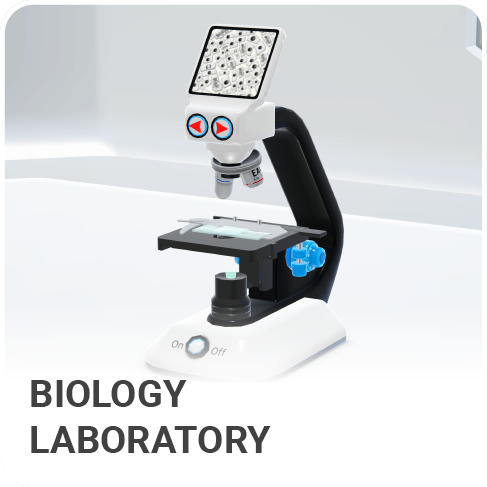
VRLab Academy Biology Laboratory virtual science simulation

Biology Laboratory

VRLab Academy Chemistry Laboratory virtual science simulation

Chemistry Laboratory

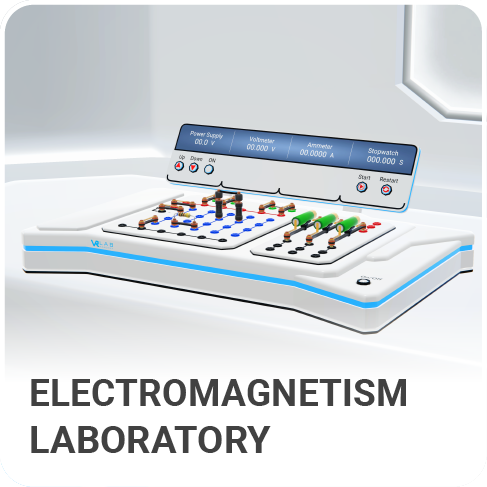
VRLab Academy Electromagnetism Laboratory virtual science simulation

Electromagnetism Laboratory

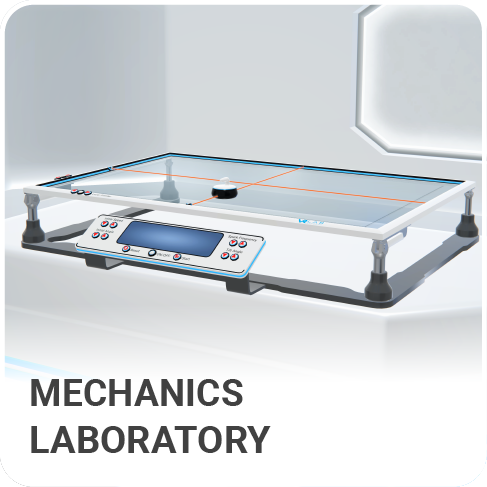
VRLab Academy Mechanics Laboratory virtual science simulation

Mechanics Laboratory

VRLab Academy Modern Physics Laboratory virtual science simulation

Modern Physics Laboratory

VRLab Academy Optics and Waves Laboratory virtual science simulation

Optics and Waves Laboratory

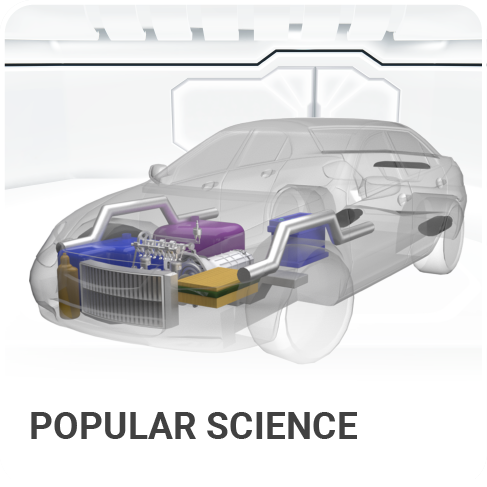
VRLab Academy Popular Science virtual science simulation

Popular Science

VRLab Academy Molecular Biology Laboratory virtual science simulation

Molecular Biology Laboratory

VRLab Academy Thermodynamics Laboratory virtual science simulation

Thermodynamics Laboratory

VRLab Academy Medical Biochemistry Laboratory virtual science simulation

Medical Biochemistry Laboratory

VRLab Academy VRLab Academy Junior virtual science simulation

VRLab Academy Junior

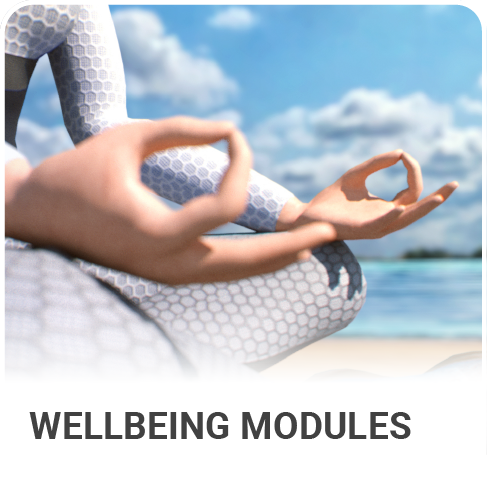
VRLab Academy Wellbeing Modules virtual science simulation

Wellbeing Modules

VRLab Academy Food Safety Training virtual science simulation

Food Safety Training

VRLab Academy Physiology Laboratory virtual science simulation

Physiology Laboratory

Sample Experiments

Step inside a virtual lab

Each experiment runs in a purpose-built, virtually attractive laboratory environment — with the equipment, measurements and safety guidance of a real practical lesson.

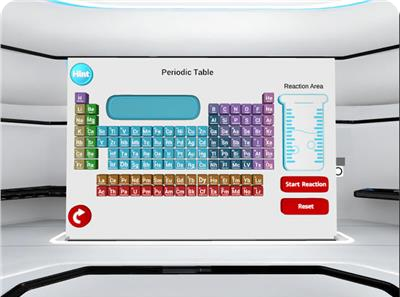
VRLab Academy Periodic Table VR virtual experiment
Chemistry Laboratory

Periodic Table VR

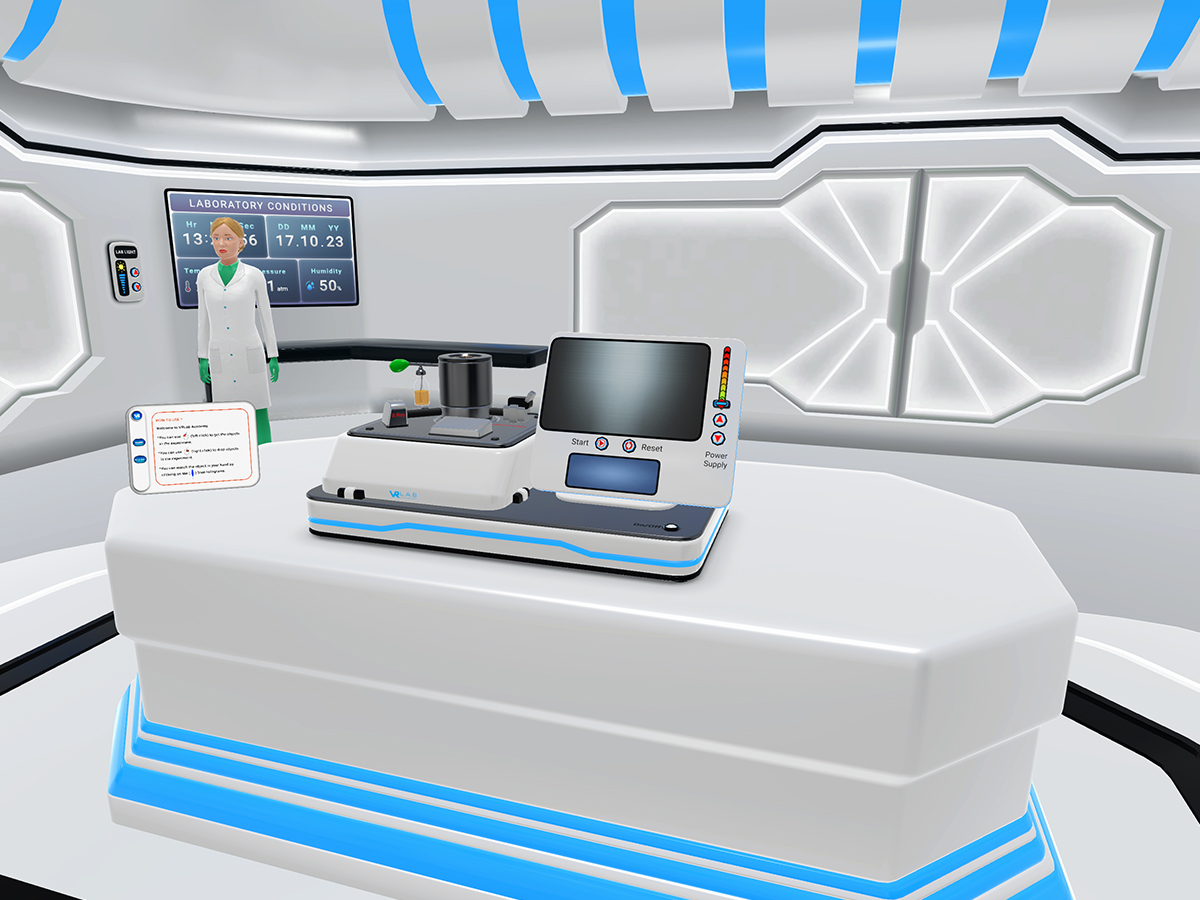
VRLab Academy Millikan Oil Drop Experiment virtual experiment
Modern Physics Laboratory

Millikan Oil Drop Experiment

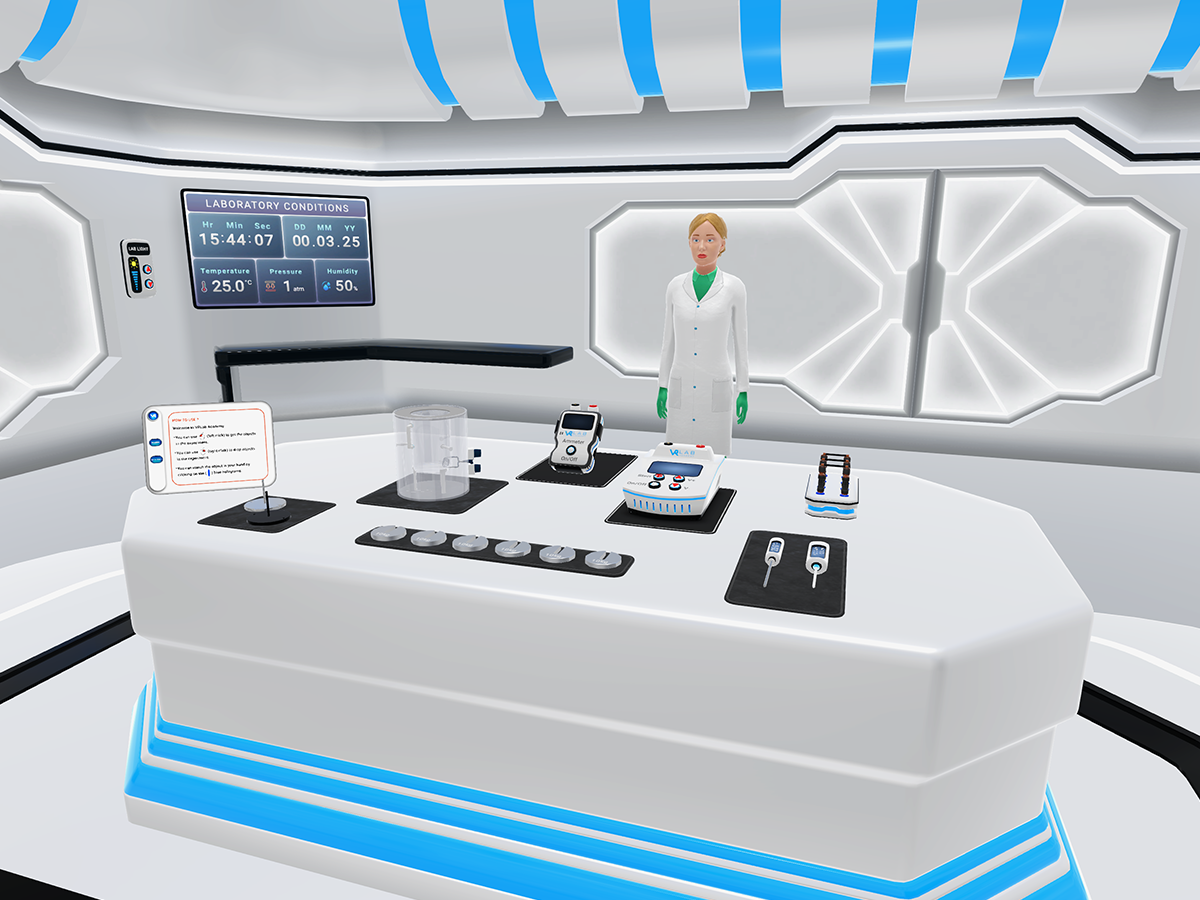
VRLab Academy Ideal Gas Laws Experiment virtual experiment
Thermodynamics Laboratory

Ideal Gas Laws Experiment

Members of the VRLab Academy community

Trusted by schools and universities worldwide

VRLab Academy community member — The Learning Hub
VRLab Academy community member — Universidad Autonoma de Madrid
VRLab Academy community member — North Hertfordshire College
VRLab Academy community member — Intel
VRLab Academy community member — Kings School
VRLab Academy community member — Canadian International School
VRLab Academy community member — South Africa School
VRLab Academy community member — Colorado State University
VRLab Academy community member — Robert College
VRLab Academy community member — TED
VRLab Academy community member — Taylors University
VRLab Academy community member — Northeastern University
VRLab Academy community member — University of Novi Sad
VRLab Academy community member — Abo Akademi
VRLab Academy community member — North Island Distance Education School
VRLab Academy community member — University of Vermont
VRLab Academy community member — Fresno City College
VRLab Academy community member — Loyola University Chicago
VRLab Academy community member — Accra College of Medicine
VRLab Academy community member — Sefako Makgatho Health Science University
VRLab Academy community member — Technet
VRLab Academy community member — TOBB
VRLab Academy community member — Doga Okullari
VRLab Academy community member — ALKEV Okullari
VRLab Academy community member — Izbilim Koleji
VRLab Academy community member — Kultur Okullari
VRLab Academy community member — Bilfen
VRLab Academy community member — Global Paradigm School
VRLab Academy community member — MAN Insan Cendekia Serpong
VRLab Academy community member — National Central University of Taiwan
VRLab Academy community member — ECA School
VRLab Academy community member — New City College

Bring virtual labs to your science department

Tell us your curriculum and class sizes and we will arrange a free demo of VRLab Academy.

Browse all laboratories · Explore VRLab Academy

Request a VRLab Demo

Hardware Requirements

What you need to run VRLab Academy

Hardware requirements which support our online experiment technology are given below. Run the virtual labs fully immersed in VR, on a desktop PC, or on a tablet — choose the setup that best suits your classroom.

VR headset and controller used to run VRLab Academy virtual experiments

VR Version

Minimum component specs

VR Goggles and Controller
Meta Quest Meta Quest-2 Meta Quest-3 Meta Quest-3S Meta Quest Pro Pico 4 Pico Neo 3 Pico Neo 4 Enterprise HTC VIVE Focus 3 HTC VIVE XR Elite
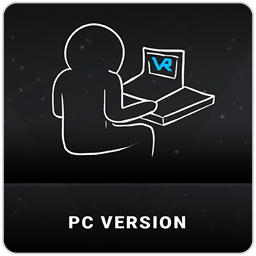
Desktop PC running VRLab Academy virtual experiments

PC Version

Minimum component specs

OS
Windows 10 64 Bit or Newer Mac OS 64 Bit
CPU
Intel i3-6100/AMD Ryzen 3 120, FX4350 or greater
Memory
8GB + RAM
Min Graphics Card
NVIDIA GeForce GTX 1050 3GB/AMD Radeon RX480 or greater

Recommended component specs

Graphics Card
NVIDIA GeForce GTX 1060 3GB/AMD Radeon RX480 or greater
CPU
Intel i5-4590/AMD Ryzen 5 150X or greater
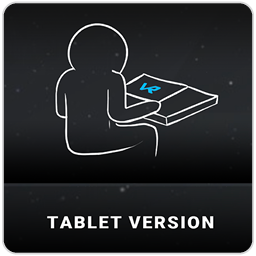
Tablet running VRLab Academy virtual experiments in the classroom

Tablet Version

Minimum component specs

iPad Compatibility
iPad 6th Gen (Released in 2018) or newer or iPad Pro For best performance, iPads should be running iOS version 15.3.1 or newer
Android Compatibility
Qualcomm Snapdragon 850 (or similar) Android version 9.0 or later Device should have a GPU that supports OpenGL ES 3.0 or later

Not sure which hardware your school needs?

Tell us what devices you already have and we will recommend the best way to run VRLab Academy.

Talk to Our Team

Experiment List

Browse the VRLab Academy experiment library

Every virtual experiment is grouped by laboratory type — from VRLab Academy Junior for younger learners through chemistry, biology, physics, molecular biology and wellbeing modules. Choose a laboratory below, then open any experiment to run it.

Looking for a specific experiment?

Tell us your curriculum and class sizes and we will map the right virtual labs for your science department.

Competition & Global Exchange

New transformation, new play

As a robot building platform with plenty of hardware and software options, Robobloq products are ideal devices for the many types of challenges set in competitions such as RoboCup.

Black African learners competing with Robobloq robots at a robotics competition in South Africa

Built to compete

The same kits used in the classroom take on the challenges of national and international events.

International exchange centres

  • Organise multi-national robot competitions
  • Develop STEM content and curriculums
  • Organise multi-national STEM related seminars
  • Promote the deployment of STEM projects worldwide
  • Promote the optimal sharing of worldwide STEM educational resources

What learners gain

Skills that carry beyond the classroom

Innovative minds

Hands-on ability

Logical thinking

Problem solving ability

Scientific thinking

Computational thinking

Ready to start a robotics club or lab?

Tell us about your learners and we will help you build a programme that competes.

Plan Your Programme

Our Core Values

What guides how we work

Passion, innovation, commitment to quality, consistency, valuing people and integrity shape our culture, define who we are and guide how we make decisions.

Passion

Our passion for success drives our business, our relationships and our offerings — moving our clients, and ultimately our communities, forward.

Innovation

We are determined to find the best-fit solutions and technology to ensure the continued success of our client organisations.

Commitment to quality

Fuelled by a passionate commitment to our service offering and client relationships, we are persistent in achieving optimal outcomes.

Consistency

We pursue on-going enhancement of our capabilities, capacity and resourcefulness, delivering quality and consistency every time.

Valuing people

People are the key leverage in our services. We empower them by recognising their strength and their ability to add value to quality outcomes.

Integrity

We deliver unambiguously on our service and delivery promise and are truthful in our analyses and recommendations — always.


Why KEM Edusolutions

What makes us unique

We help our clients optimise their business investment and achieve the desired outcome without compromising on the quality of our services.

  • We understand your business challenges and deliver on our promises in the right time and within budget.
  • We deliver innovative solutions that offer real benefits and business efficiencies.
  • We provide a consistent level of work across every engagement.

  • We build client relationships through open communication, hands-on involvement and ease of engagement.
  • We are actively involved in the daily operations of our clients, buying into their vision and becoming part of the team that drives their success.
  • We use open source platforms wherever possible and deliver other cost savings.
  • We live our values in everything we do.
Public Procurement

Registered with SITA

KEM Edusolutions is registered with SITA as an OEM for Education products. Our robotic products and Virtual Reality Science Lab applications are registered at SITA for public procurement.

Powered by our technology partners

Technology is an enabler of transformation. Every solution is customised to your size, project type and business objectives, and we advise on the most appropriate technologies from renowned vendors to suit your needs.

Get in Touch

Let us talk about your next project

Tell us where you want to take your organisation. Our team will come back to you with the right solution and a clear next step.

Send an enquiry

Complete the form and our team will be in touch.